

Scan and split a restaurant bill by item
Scan the receipt, check the items, and invite everyone at the table. Friends can continue in the app or browser, select what they had, and see who owes whom.


How to split a restaurant bill with CheqSplit
Go from a printed restaurant receipt to clear per-person totals while everyone is still at the table—even when some guests do not have the app.

Scan and check the receipt

Share the bill

Select items and settle the balance
One restaurant receipt, shared in the app or browser
Everyone works from the same restaurant bill instead of calculating separate totals from a photo. Guests who do not have CheqSplit installed can continue in their browser and still take part in the split.
Each person selects the dishes and drinks they consumed. When several people select the same shared item, CheqSplit divides its price equally between them and updates the balances.
After the group pays each other outside CheqSplit, participants can record those settlements so the bill history reflects what has already been paid.
Split the bill based on what everyone actually ordered
Different orders
Assign every dish or drink to the people who consumed it, so each person’s total reflects what they actually had.
Shared dishes and drinks
Everyone who shared an item can select it. CheqSplit automatically divides the item equally between those participants.
No app required for guests
Open the invitation link and continue in the browser to view the restaurant bill, select items, and follow the result.
Tax, service fees, and tip
Review Fees & Tips and add tax, service charges, or tip when they apply to the receipt.
Clear balances
CheqSplit calculates who owes whom after the restaurant bill is divided.
Payments recorded
After paying outside CheqSplit, record the payment so the shared bill reflects the settlement.
Need to keep this restaurant bill with hotel, taxi, or activity costs from the same group? Add the completed bill from the trip’s Bills tab with Add Bill, then continue with group expense tracking .
Prefer a step-by-step method first? Read how to split a restaurant bill fairly .
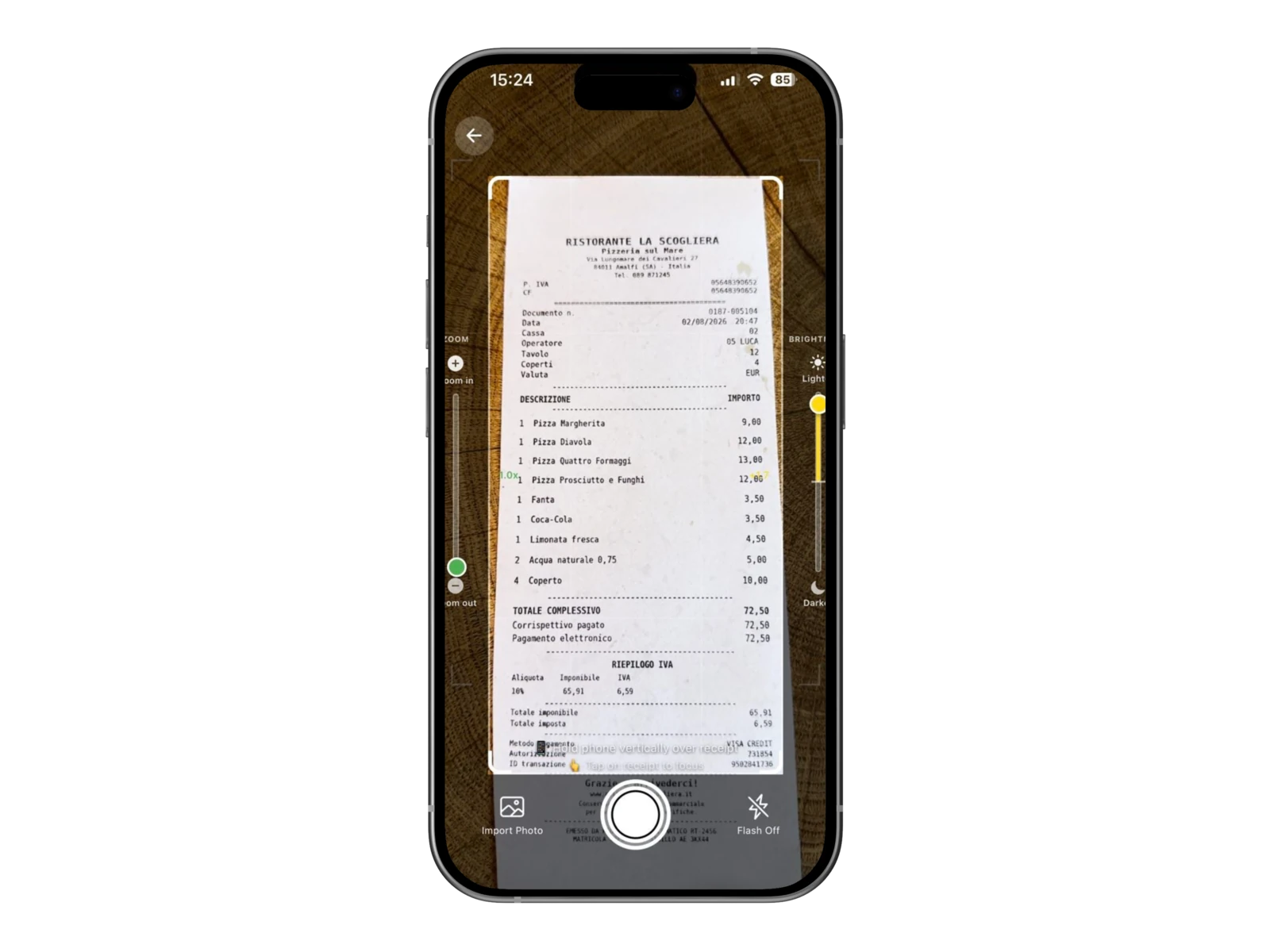
Scan the restaurant receipt
Take a photo of the receipt in CheqSplit. Adjust the frame, zoom, and brightness to make sure the entire bill is clear and easy to read.

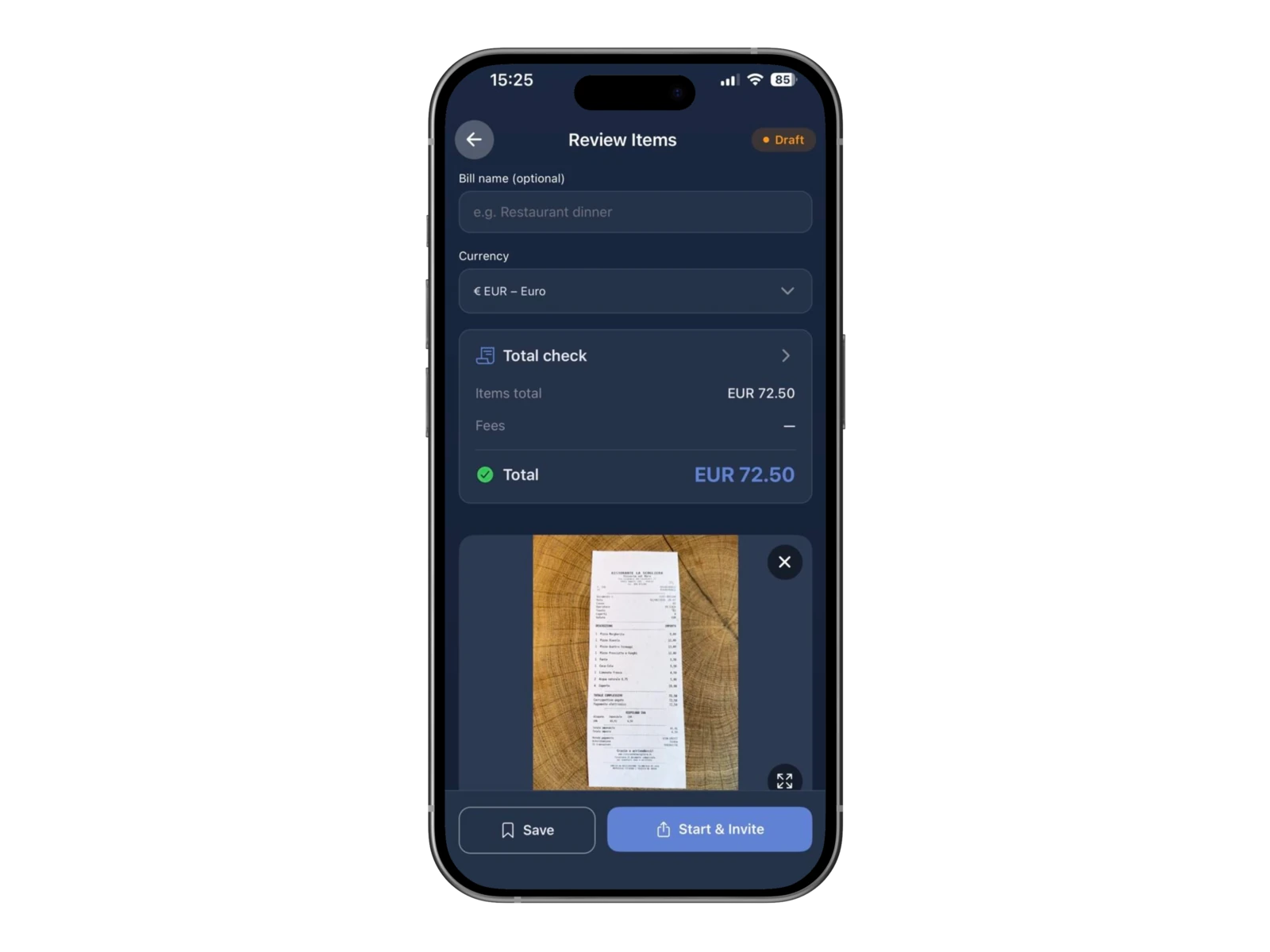
Check the total before starting the split
Review the detected bill before starting the split. • Review the detected total • Choose the correct currency • Optionally give the bill a clear name • Compare the result with the original receipt before continuing

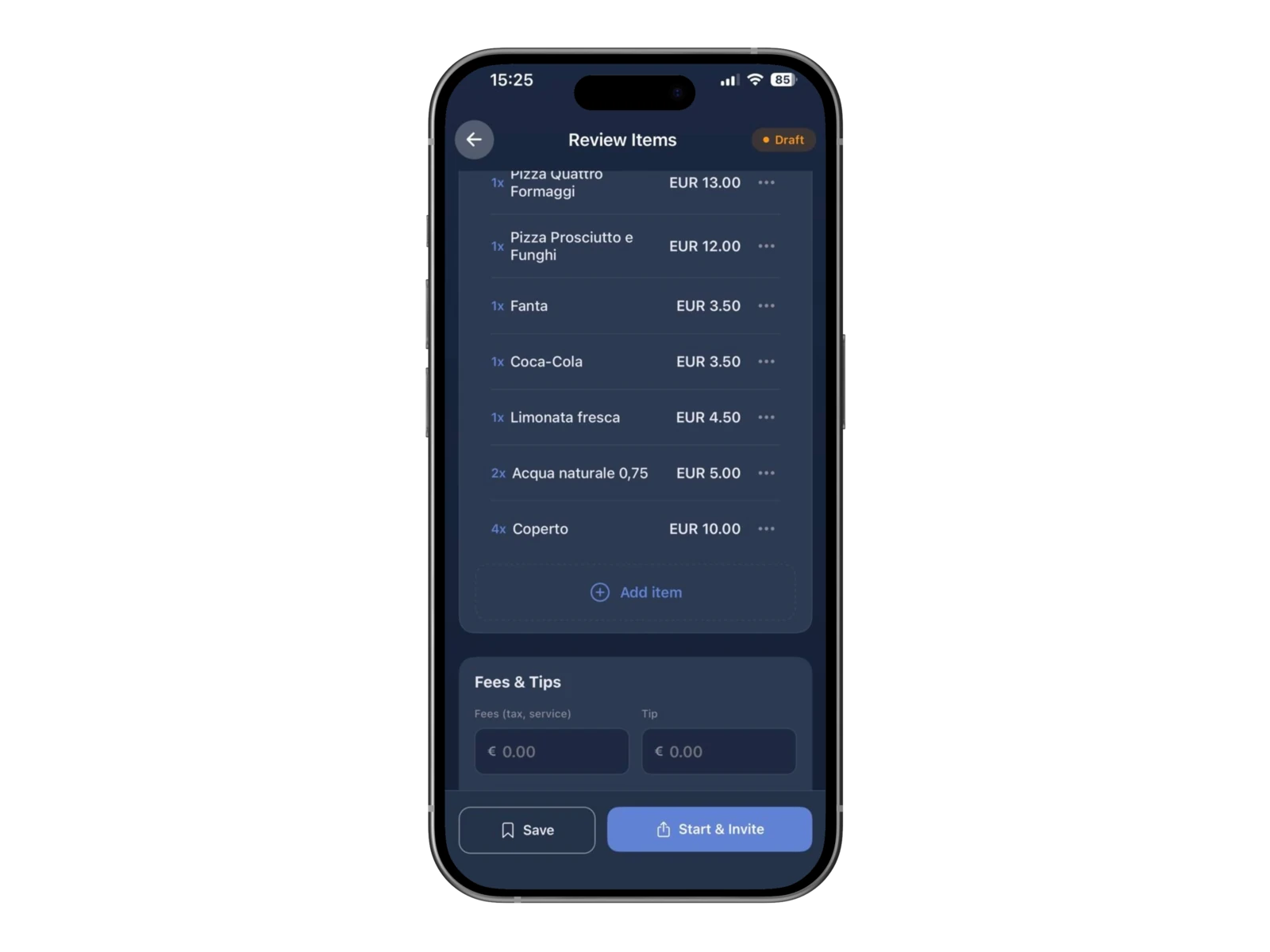
Review and edit every receipt item
Check the detected dishes, drinks, quantities, and prices. • Correct a line or add a missing item before sharing the bill • Open Fees & Tips to enter tax, service charge, or tip when they apply, or leave an amount at zero when they do not

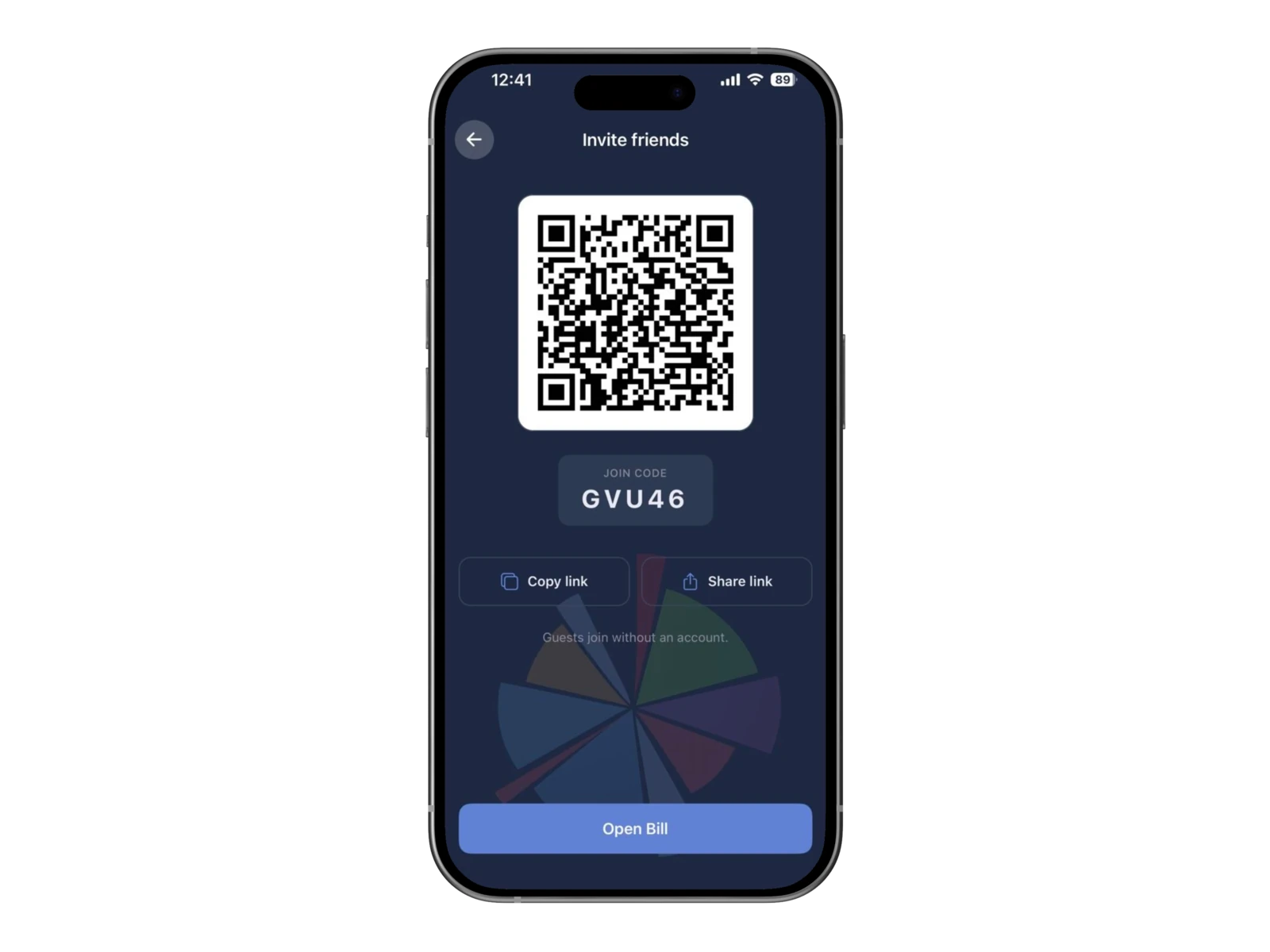
Invite friends by QR code or link
Show the QR code or share the invitation link so everyone at the table can open the same restaurant bill.
Continue in the browser without installing the app
Guests who open the invitation link or scan the QR code can get the CheqSplit app or tap Continue in browser. They do not need the app installed to take part in this bill split.
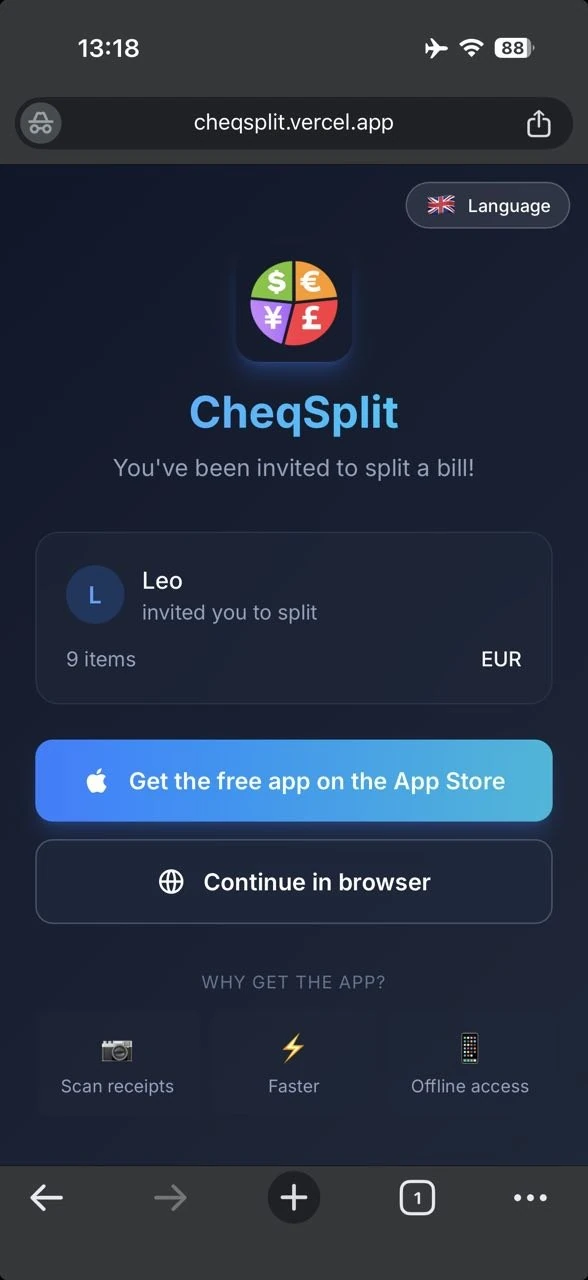

Split the restaurant bill online
The browser participant sees the same Items and Summary tabs, the participant list, and the restaurant items. They can check the dishes or drinks they consumed directly from the browser.
Selections stay on the same shared bill used by participants in the CheqSplit app.
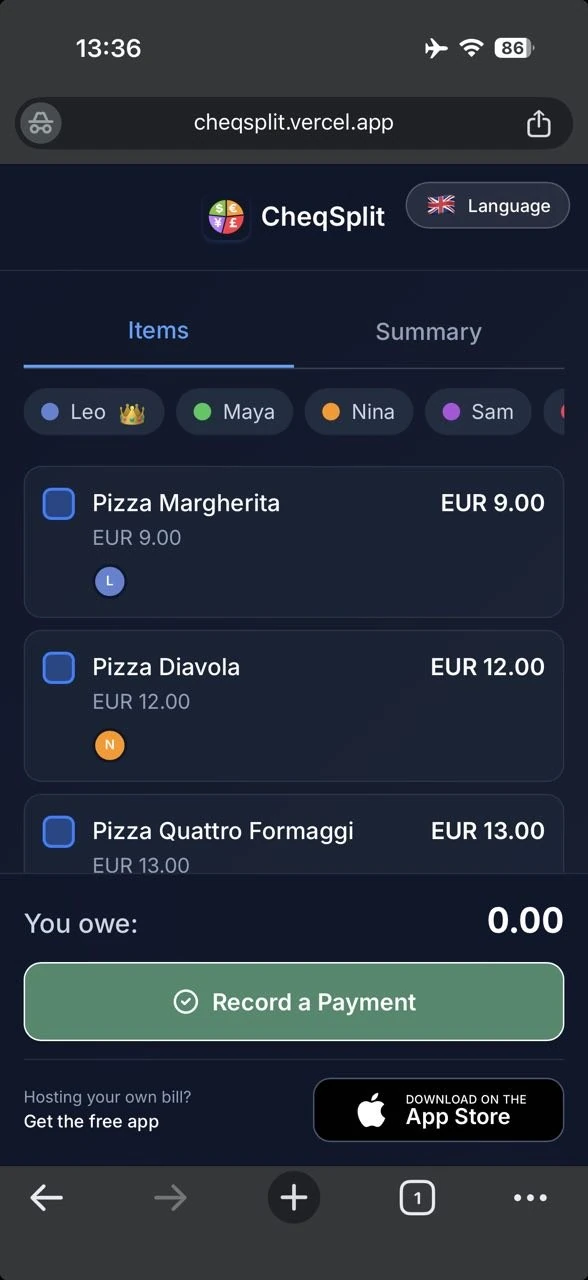

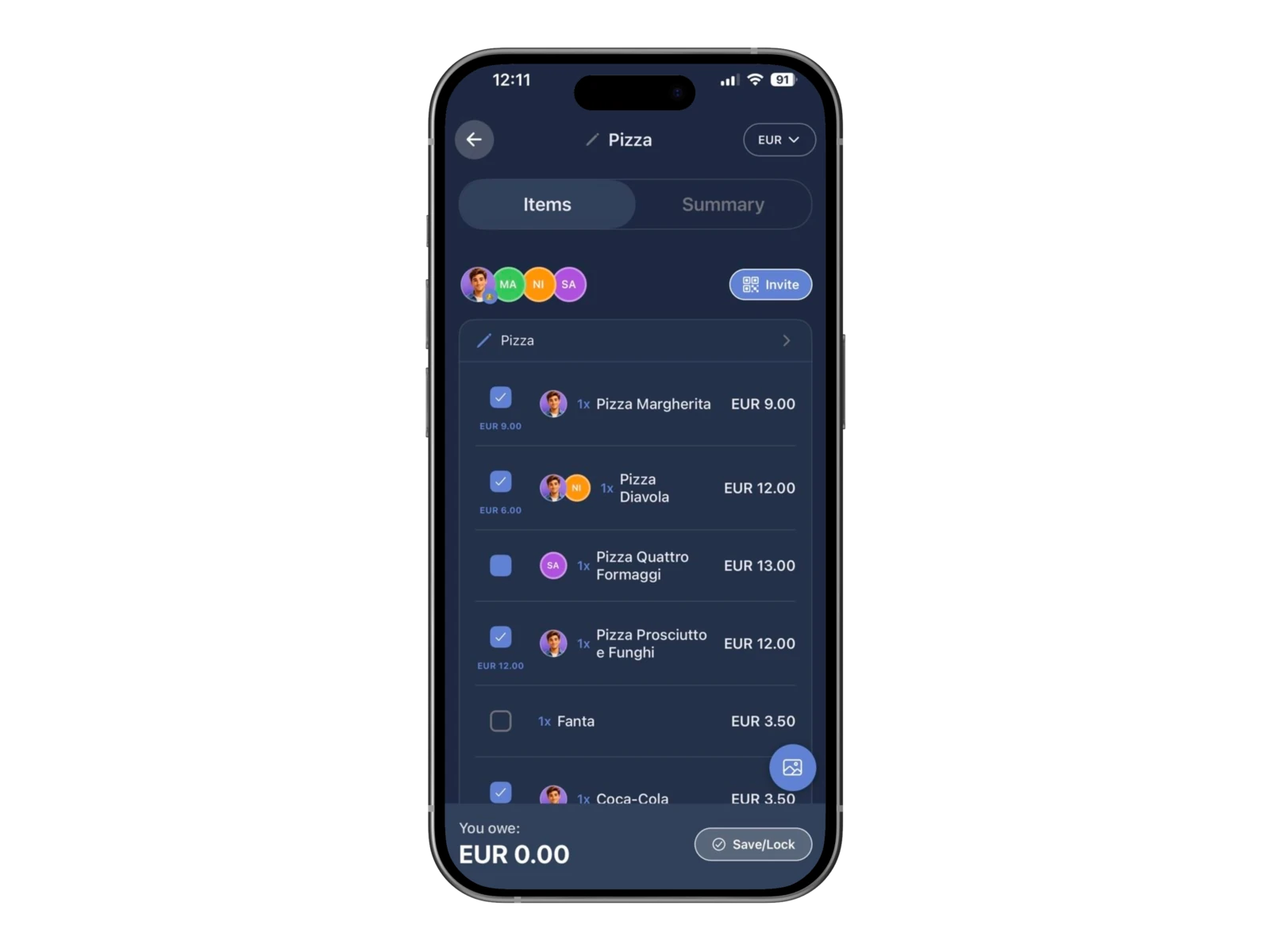
Let everyone select what they had
Each participant checks the dishes and drinks they consumed. Another participant’s avatar appears beside an item they selected. When you select the same item, your checkmark and avatar appear alongside theirs.
When several people select the same pizza, drink, or shared dish, CheqSplit divides that item equally between them.
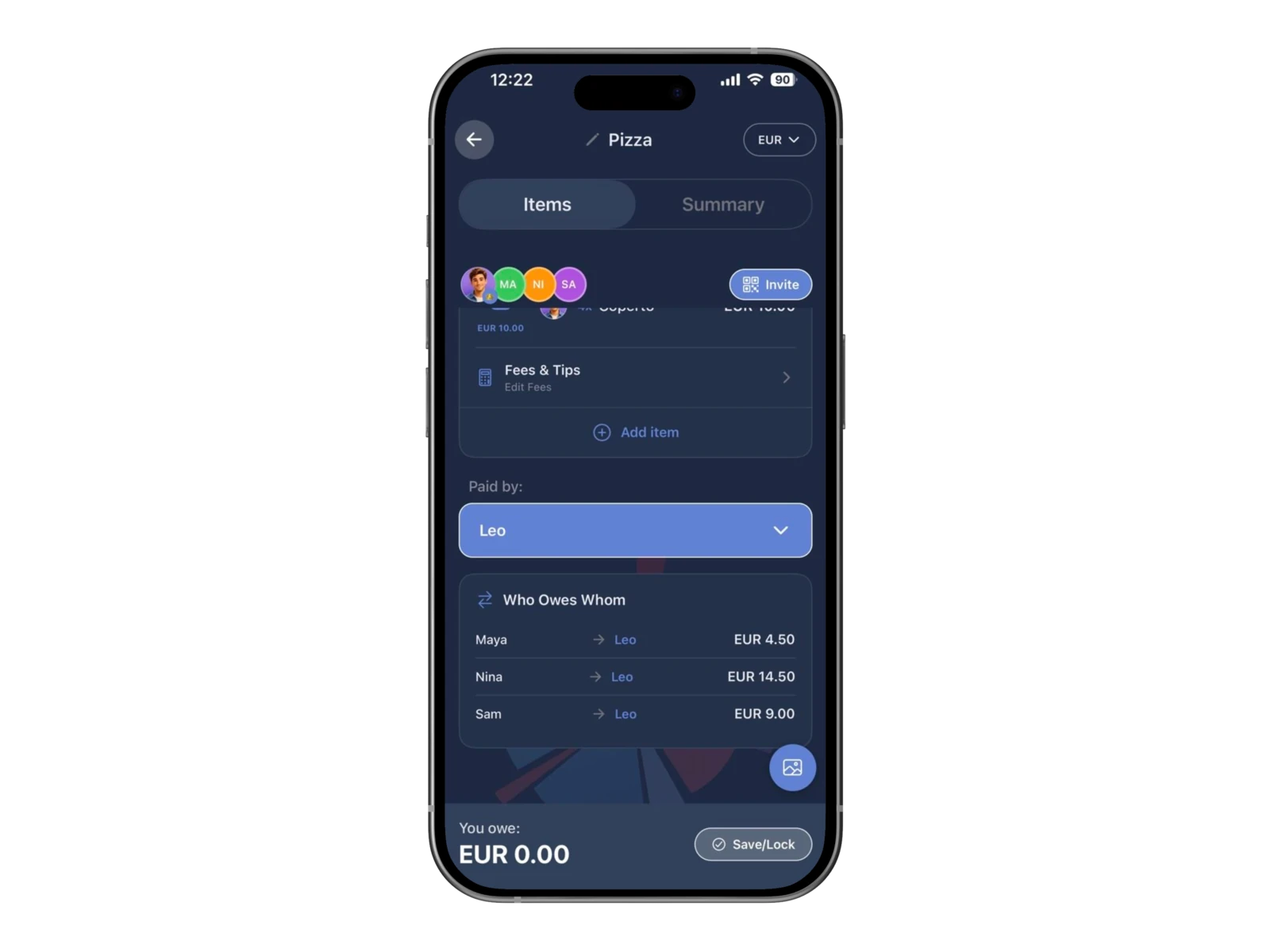
See who owes whom
Let CheqSplit calculate the resulting balances after the restaurant bill is paid. • Choose who paid the restaurant bill • See who owes the payer and how much each person owes
CheqSplit calculates the result; it does not transfer money.
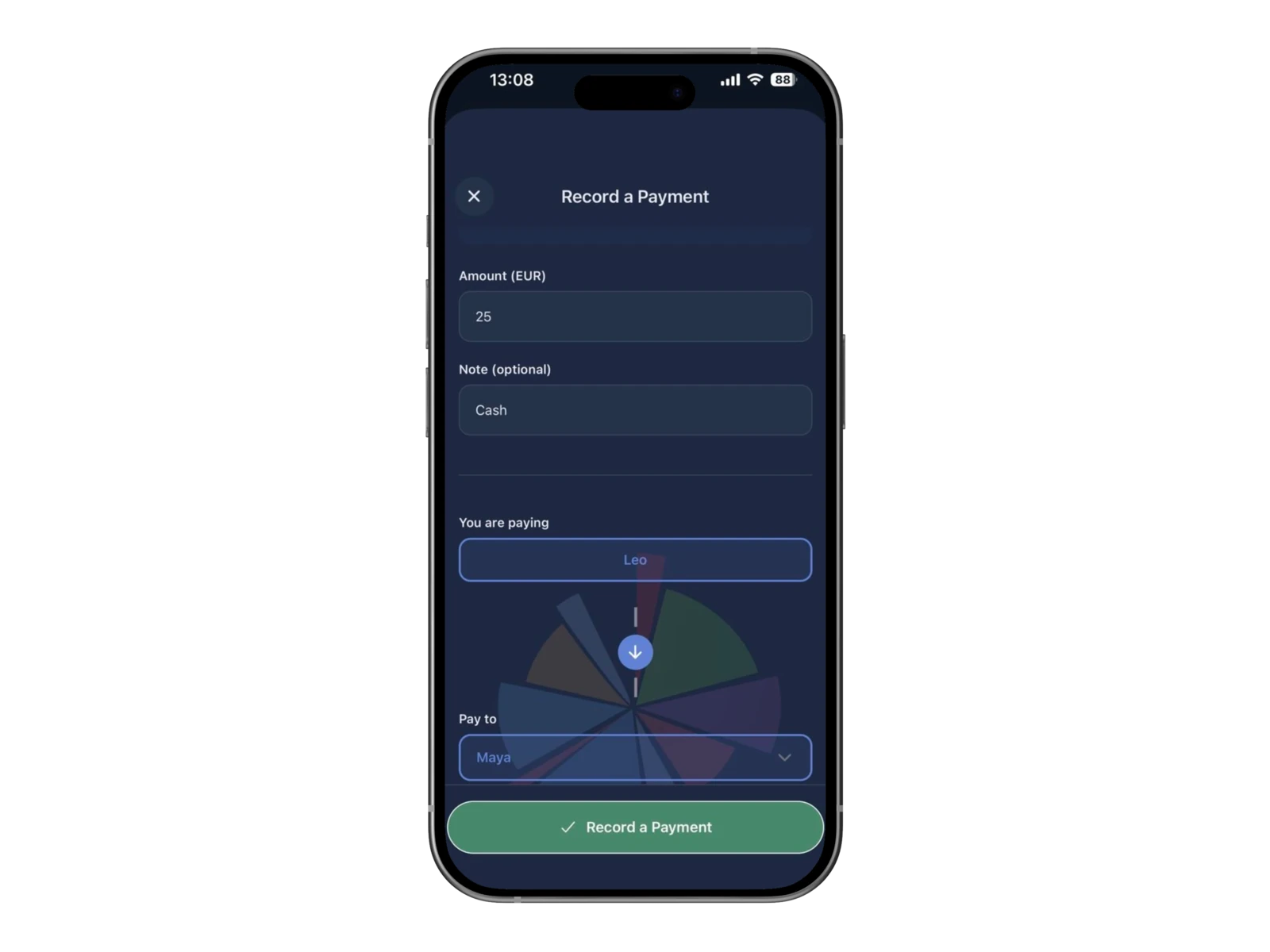
Record when a payment has been made
After a participant pays their debt outside CheqSplit: • Open Record a Payment • Enter the amount • Optionally add a note • Choose who is paying and who receives the payment • Save the record
This updates the shared record. CheqSplit does not process, send, or receive the money.
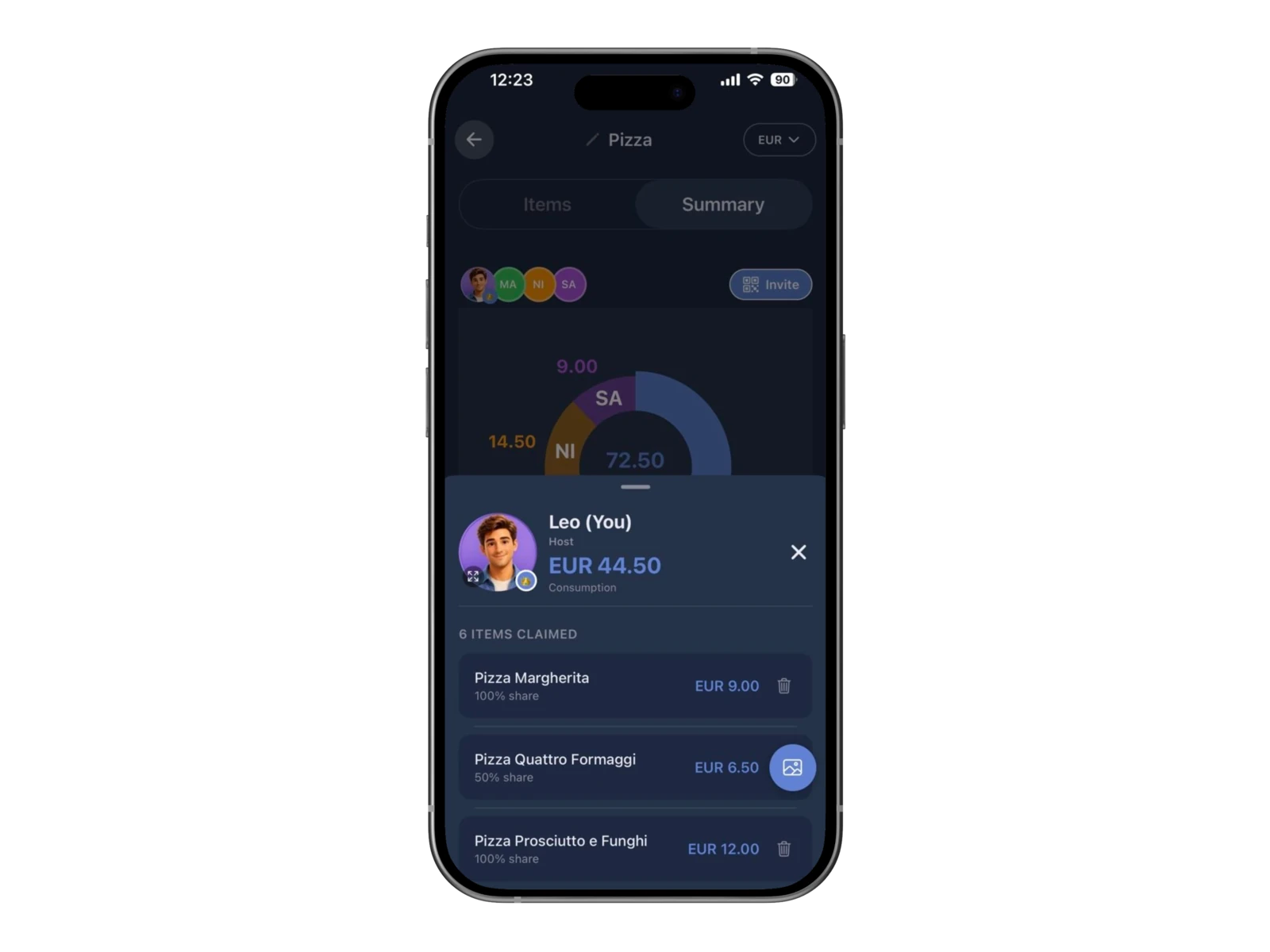
Review how the restaurant bill was divided
See how the restaurant bill was divided across the group. • Open the Summary tab to see the total distributed in a pie chart • Tap a participant’s section to view their total and the exact items included in their consumption
An automatically calculated share, such as 50% when two people selected the same item, appears in the participant details.

Split the restaurant bill—even when friends do not have the app
Scan the receipt, share the bill, let everyone select items in the app or browser, and keep who-owes-whom and recorded payments in one clear result.
Frequently asked questions
Can CheqSplit scan an itemized restaurant receipt?
Yes. Photograph the receipt, then review the detected total, items, quantities, and prices before starting the split.
Do all participants need the CheqSplit app?
No. The host creates and scans the bill in the app, but invited guests can open the link and choose Continue in browser.
Can I split a restaurant bill in the browser?
An invited guest can open the shared bill in the browser, select the items they consumed, view the Summary, and follow the resulting balance. Hosting and scanning a new bill require the app.
Can participants join by QR code or link?
Yes. Share the QR code or invitation link so everyone can open the same restaurant bill in the app or browser.
How do several people split one shared item?
Each person who shared the item selects it. CheqSplit automatically divides the price equally between all participants who selected that item.
What if the receipt scan is incorrect?
Review the detected bill before sharing it. Correct an item or price, add a missing line, and enter tax or tip in Fees & Tips when applicable.
What does Record a Payment do?
It records that one participant paid another outside CheqSplit. It updates the shared bill record but does not transfer or process money.
How can I see what each person consumed?
Open the Summary tab and tap a participant’s section in the chart to see their total and included items.
Does CheqSplit transfer money?
No. CheqSplit calculates balances and records settlements entered by participants. It does not send, receive, or process payments.
Can I add this restaurant bill to a trip?
Yes. Complete the itemized restaurant split, then open the Bills tab inside the trip and tap Add Bill.