

Track group expenses and see who owes whom
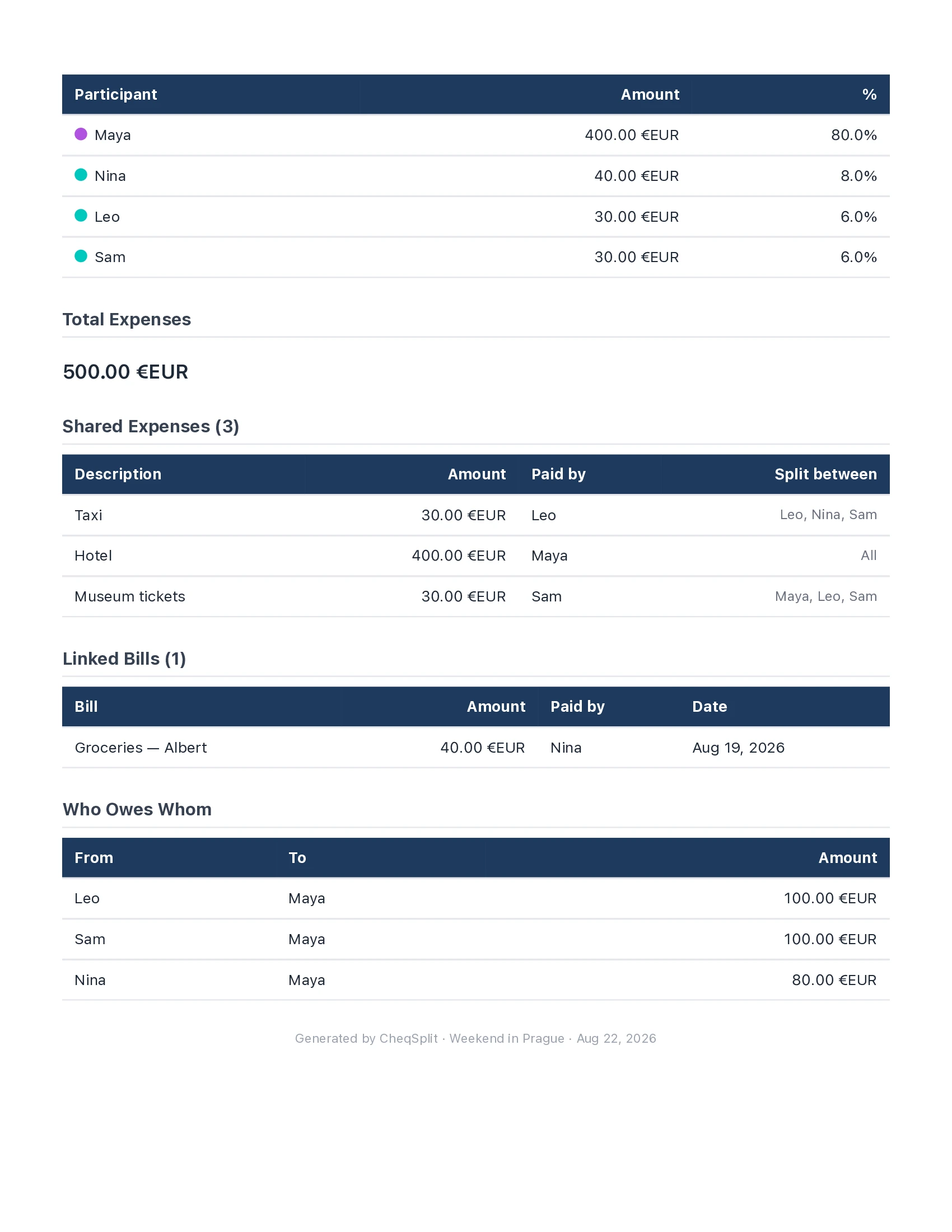
Keep every group expense and every balance in one shared record: create a trip, record who paid, choose who shared each cost, and see who owes whom.


How group tracking works · Need to split one dinner receipt by item? Use the restaurant bill splitter for scan, invite, and live item assignment.
Prefer a step-by-step method first? Read how to split trip expenses with friends .
How group expense tracking works

A shared expense history instead of scattered messages

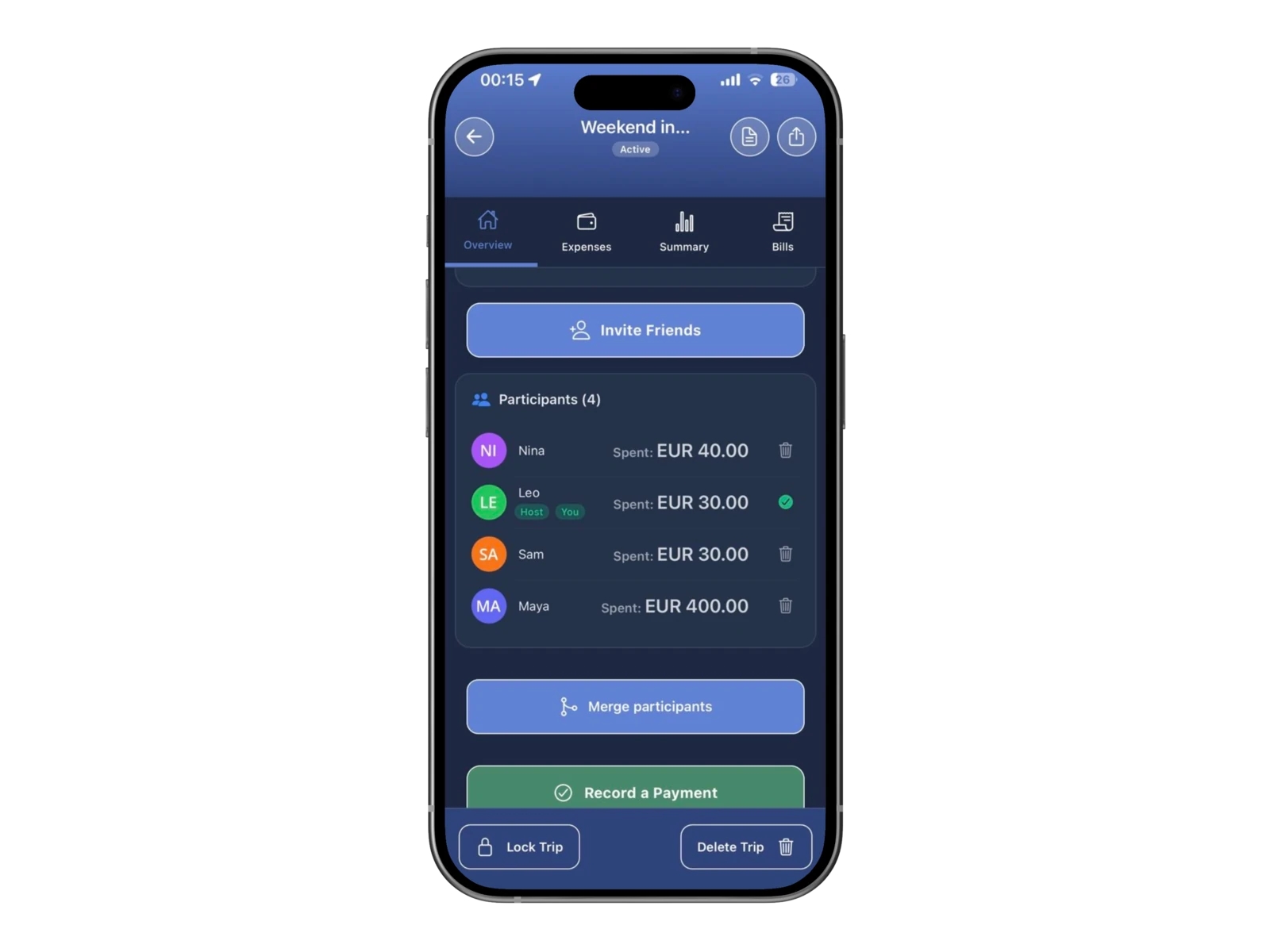
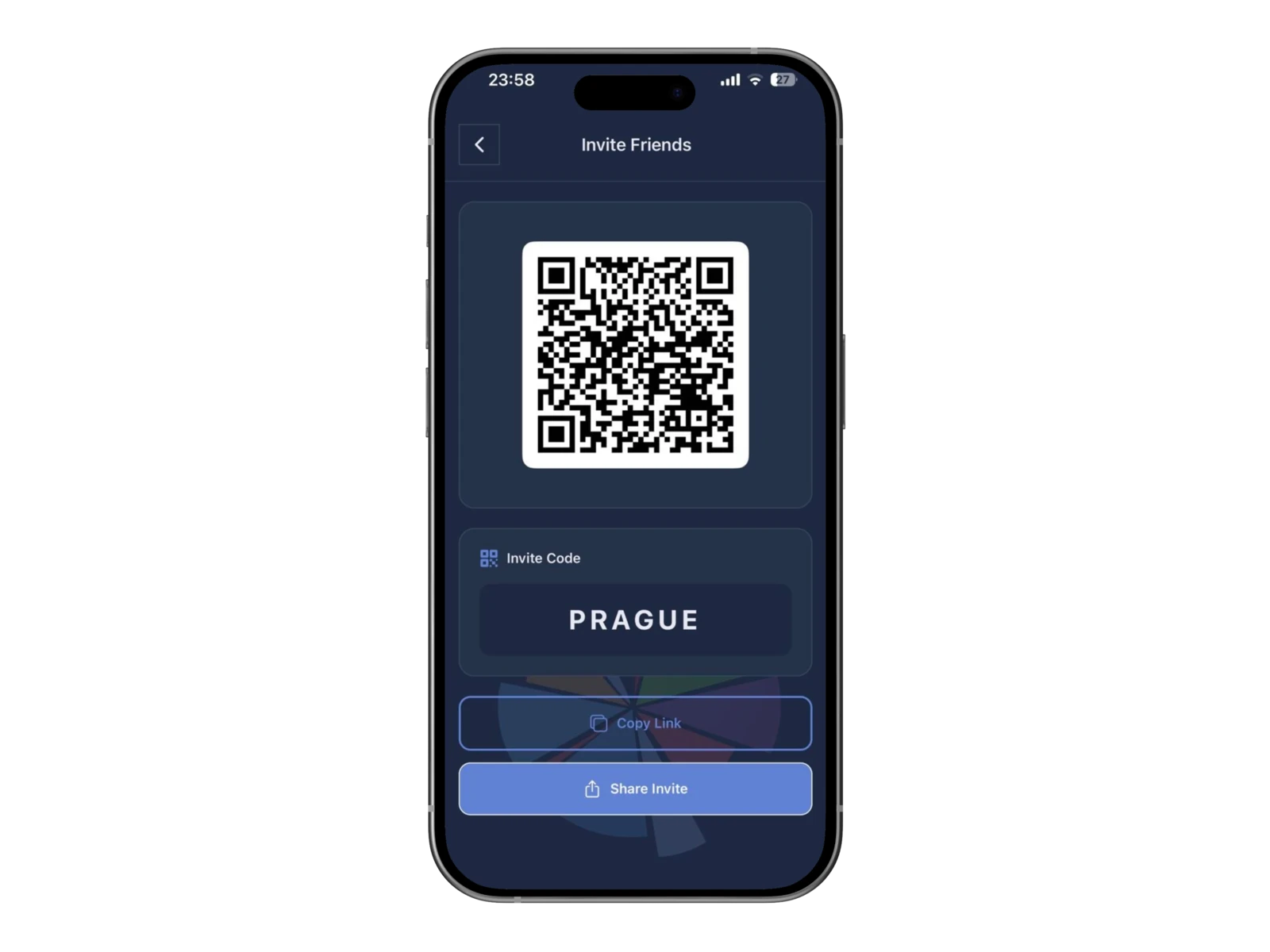
Invite the group to the trip
Add each expense
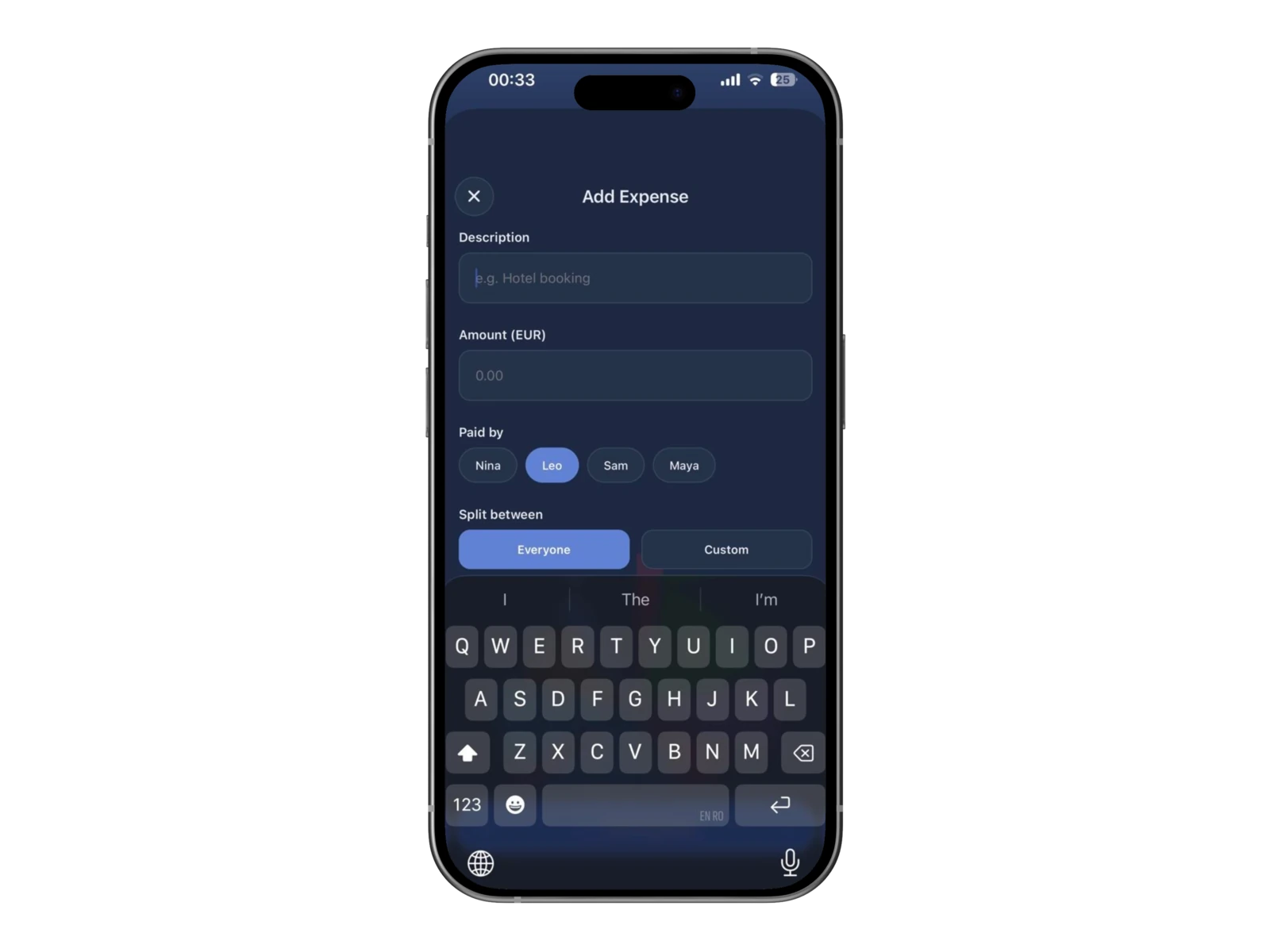

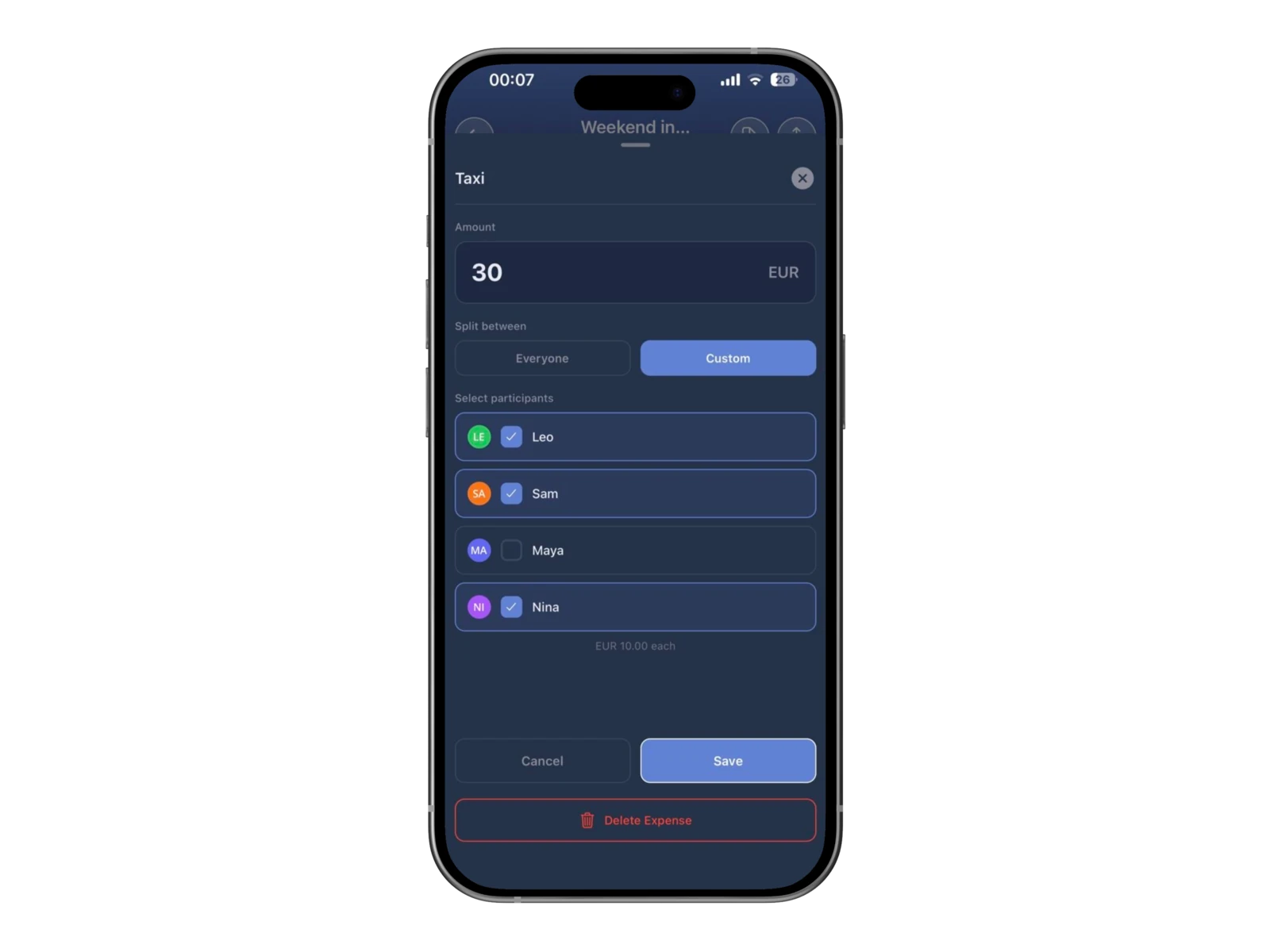
Choose who shared the cost

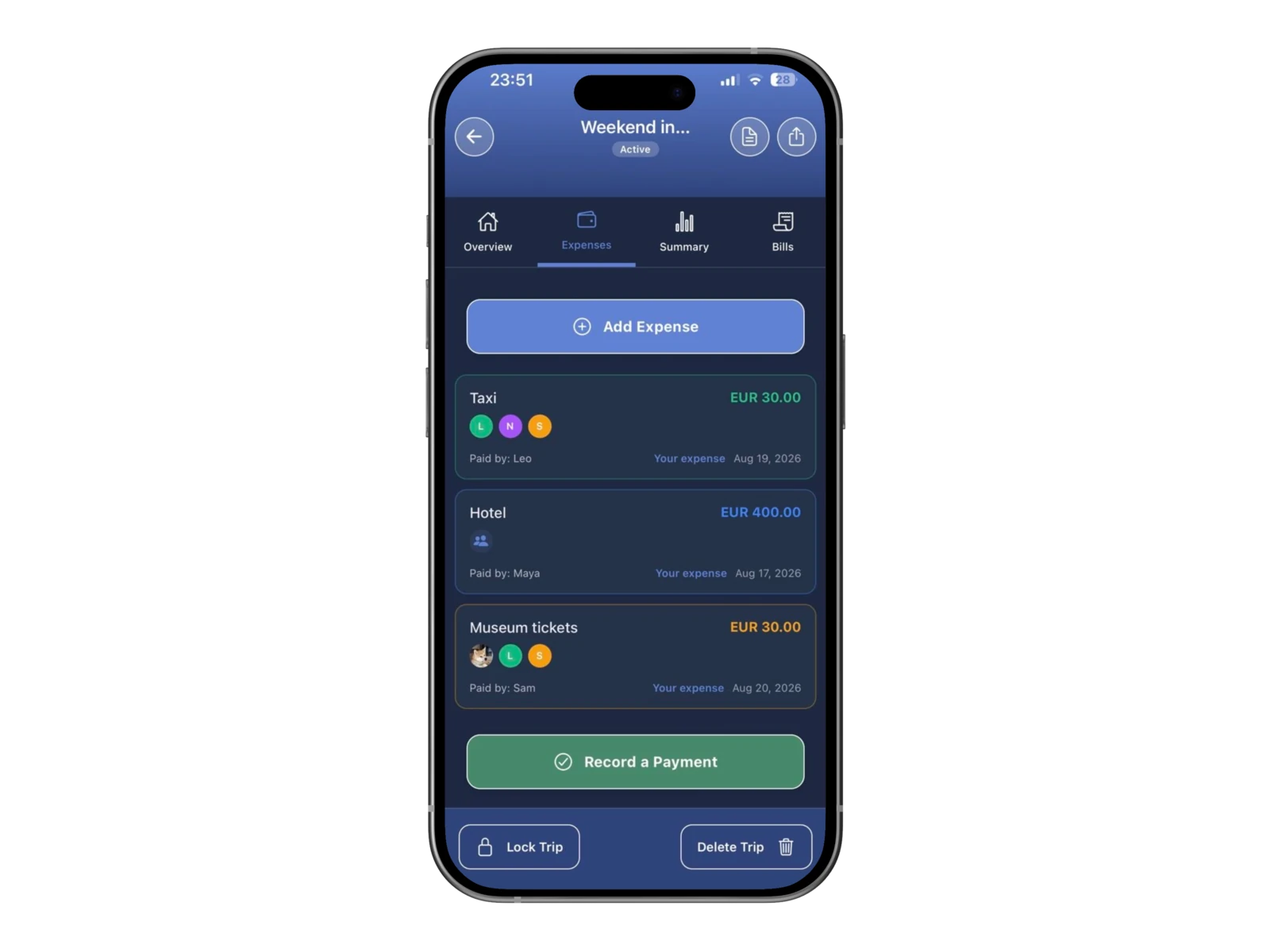
Follow the shared expense history

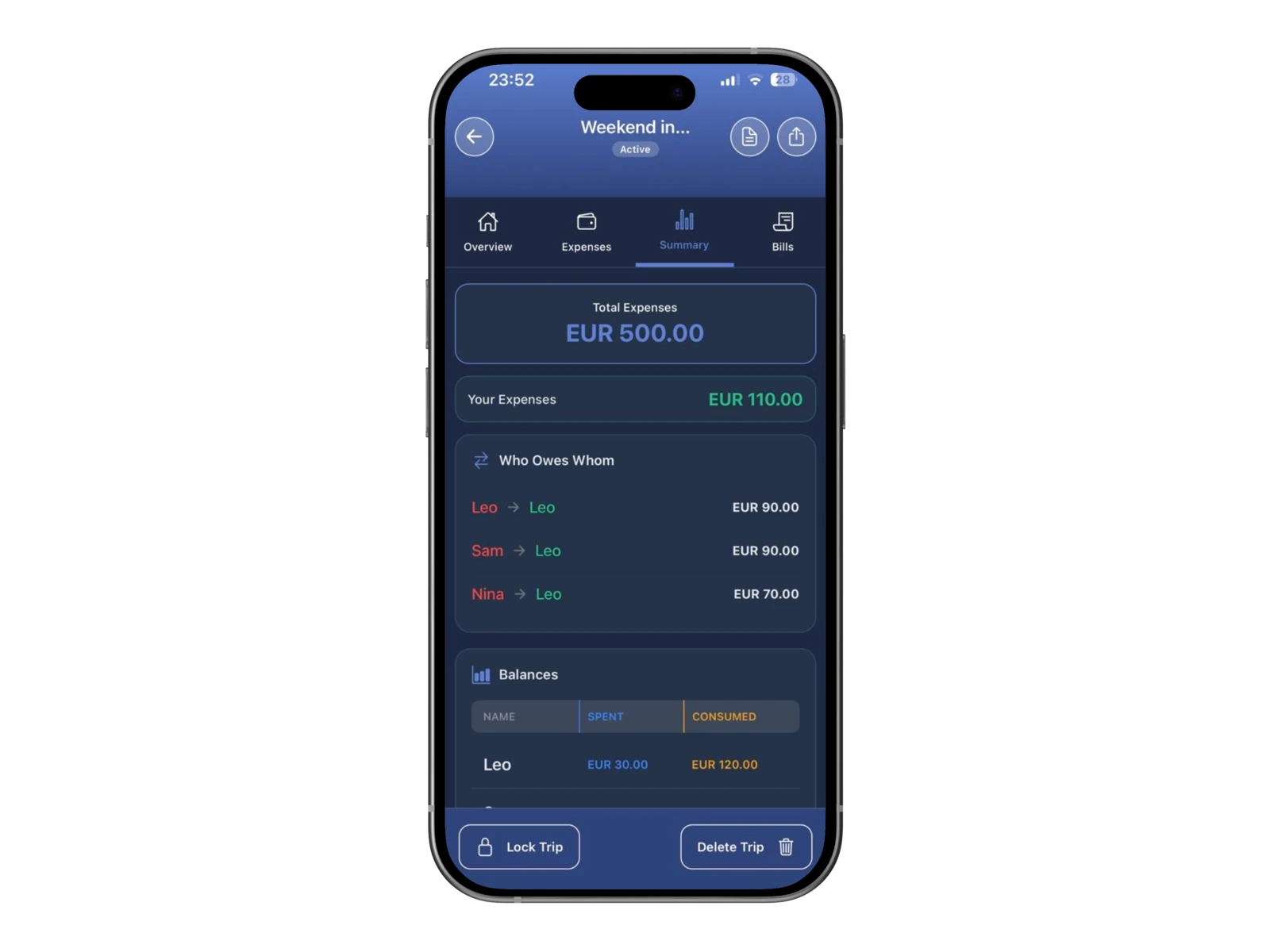
See who owes whom
Choose the right split for each expense

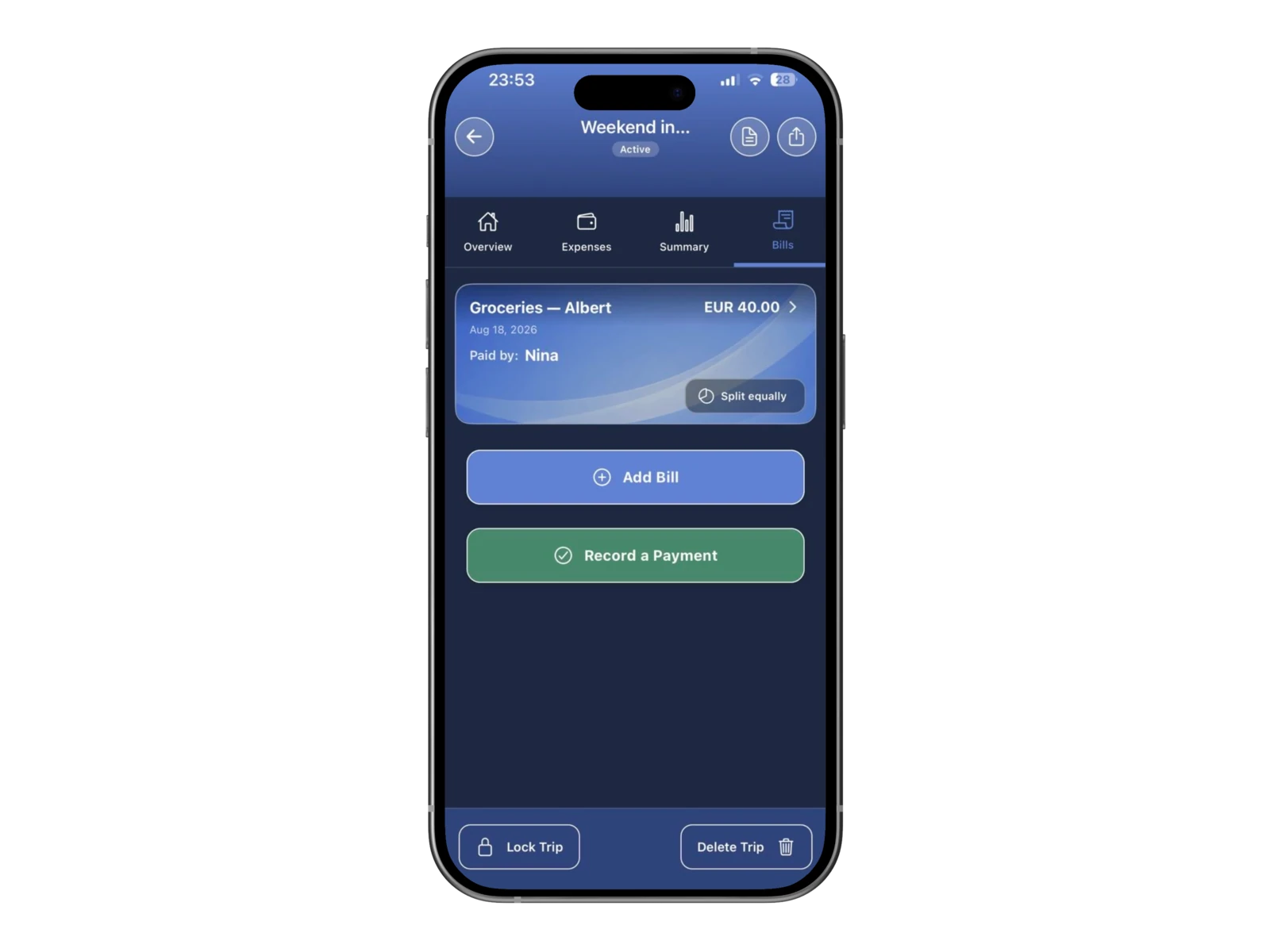
Bring an itemized restaurant bill into the trip

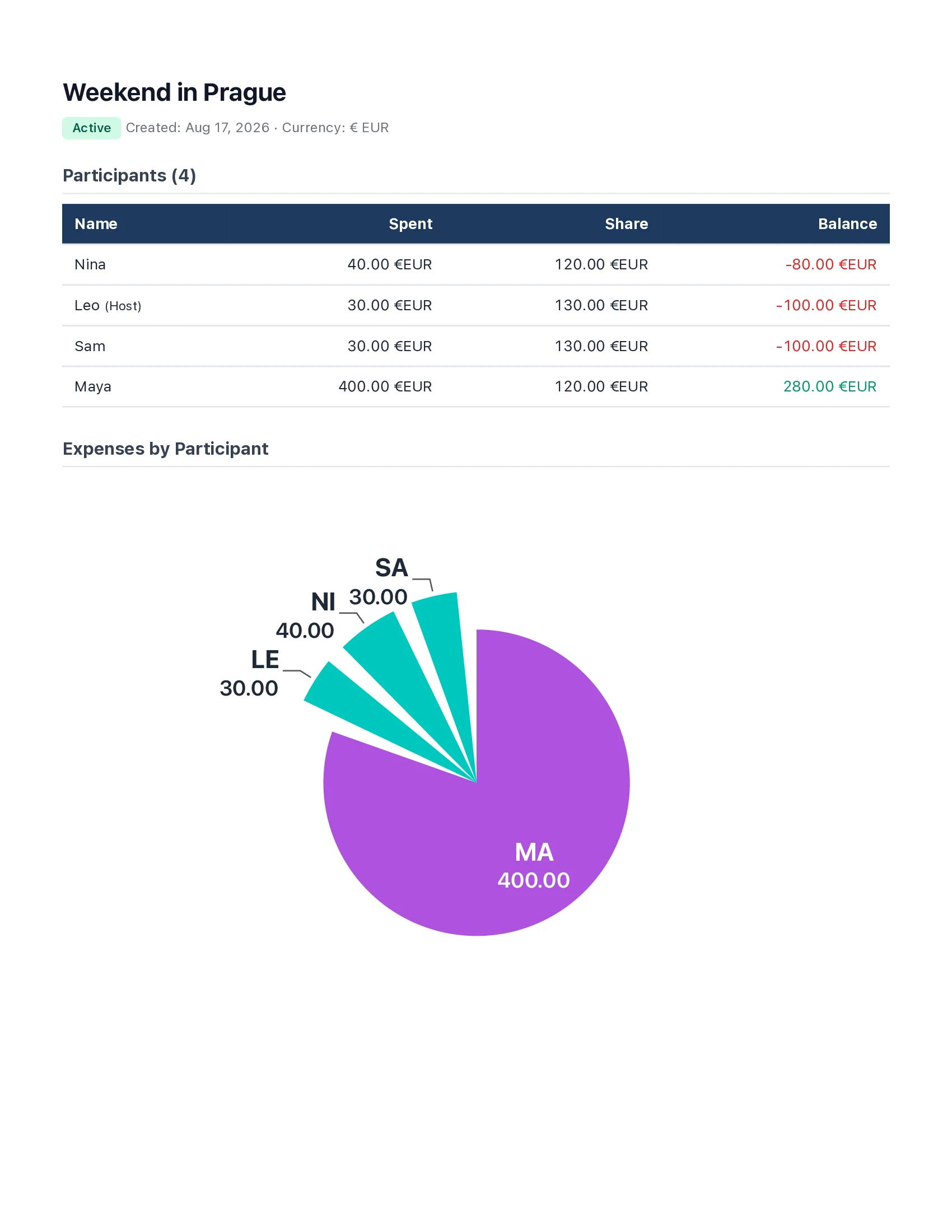
Keep a record the group can return to
When CheqSplit is useful
- A weekend or holiday with friends
- A group trip with accommodation, transport, meals, tickets, or activities
- Several trip expenses paid by different participants
- An itemized restaurant bill, added from the Bills tab with Add Bill

Give the group one clear record
Create a trip for your group, add costs while they are fresh, and let CheqSplit keep the group balance visible.
Group expense tracker FAQ
Can different people add expenses?
Yes. Any participant can open the Expenses tab and tap Add Expense. For an itemized receipt, use the Bills tab and tap Add Bill.
Can an expense apply to only some people?
Yes. Choose Everyone or Custom, then select only the participants who shared that expense.
Can I scan a receipt for a trip expense?
Use the restaurant receipt flow for the itemized split, including tax and tip. Then open the Bills tab on the trip and tap Add Bill.
How do I know who should pay whom?
CheqSplit combines the group’s expenses and shows the resulting balances—who owes whom. It calculates shares; it does not transfer money.
Can I export the result?
Yes. CheqSplit can export a detailed PDF report with costs, totals, tables, and a chart, and you can archive a finished trip.